freedyn2
Multibody dynamics for engineers – and for the assistants they work with.
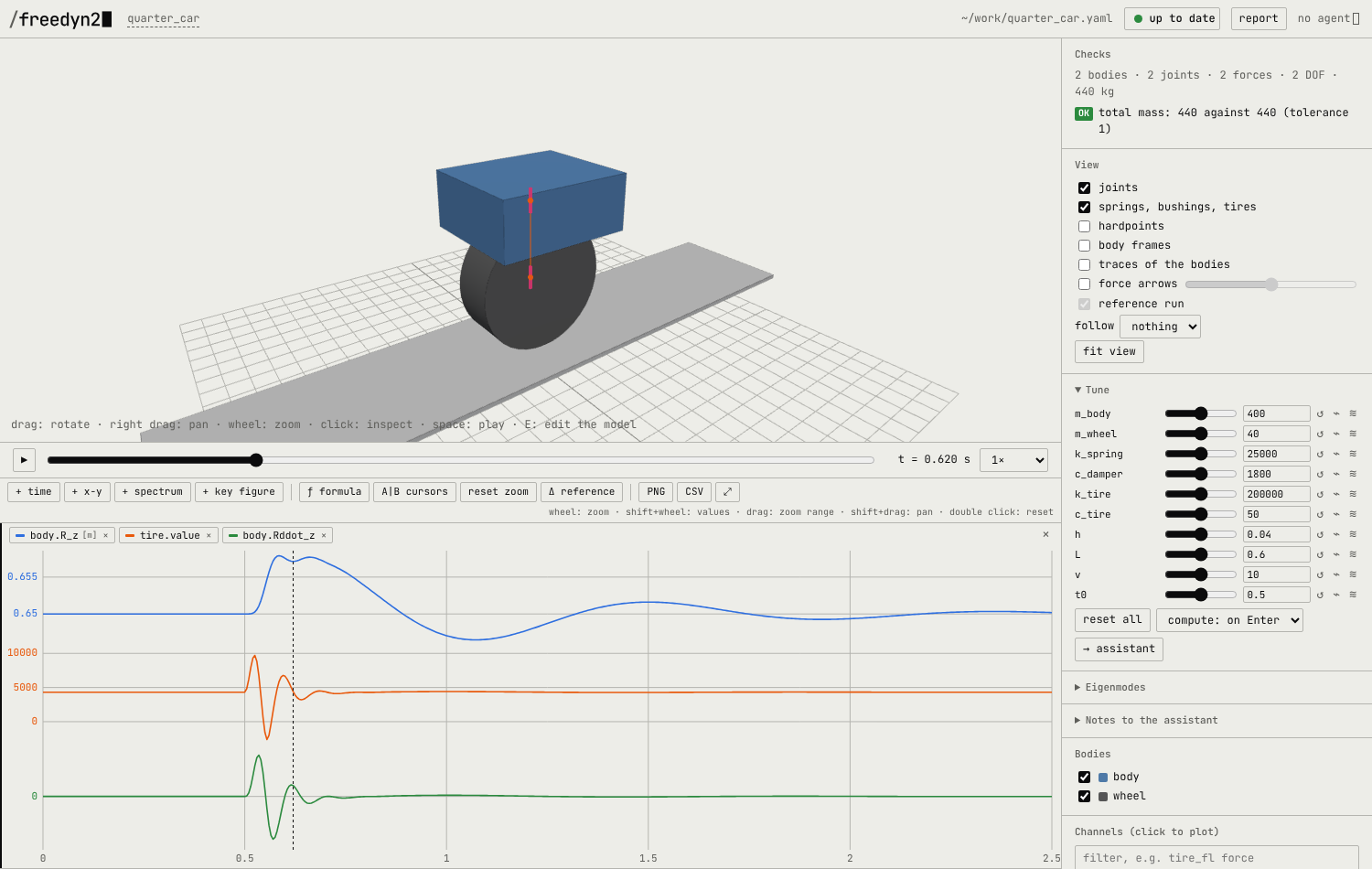
freedyn2 simulates mechanical systems of rigid bodies, joints and forces: suspensions, drivelines, mechanisms, vehicles on roads, motorcycles. A model is a short text file; a viewer in the browser shows it, plays the results and lets you tune, compare and study variants; an AI assistant can build and change the model through the same tools you use.
What it is good at
- Models as text. A model is a YAML file of bodies, joints and forces, written by hand or
by an assistant, reviewed like code, versioned with git. Every number can be a formula of
named parameters:
stiffness: =k_front. - Checking before trusting. The viewer and
freedyn2 checkfind what is physically impossible or likely a slip: inertia no body has, units, a joint far from its bodies, redundant constraints, a tire in the air. References (total mass, measured curves) are checked with every run. - Interactive variant studies. Sliders for every parameter, runs compared to a reference with difference plots, a fan of seven variants simulated in parallel with key figures over the parameter, live eigenvalues and root loci while you move a slider.
- Fast and exact. The equations and their derivatives are generated symbolically (CasADi) and compiled to plain C; a small C++ runtime integrates them (HHT on a Lie group). A car with tires on an OpenCRG road takes about 0.15 ms per step; a fixed Newton mode does exactly the same work every step, for real-time use.
- Open. Apache 2.0. The successor of the FreeDyn freeware: its
.fdsmodels run as they are. - Easy to install. A Windows installer for using it as a program (no Python needed), or
pip install freedyn2for use from Python, Jupyter and on Linux.
Where to start
- Getting started – install (Windows installer or pip), a first model, the viewer, in ten minutes.
- Tutorial – tune a quarter car over a bump: sliders, runs, a fan of variants, eigenvalues.
- Working with an assistant – let Claude or another MCP client build and examine models while you check and decide.
- Coming from FreeDyn – your
.fdsmodels in freedyn2, side by side with the legacy program. - Coming from Adams – the concepts side by side.
- Model reference – every element and key.
- Examples – models to open, with live viewers on the page.
The way of working
freedyn2 is built for a division of labour: an assistant writes and changes the model, a person checks and decides. That only works if checking is cheaper than modelling, so the tools for looking at a model – the viewer, the checks, the comparison of runs, notes back to the assistant – are as important as the solver. You can of course write every model by hand; the file format is meant to be read and written by people.